From ChromeOS to Arch Linux: Giving an Old Chromebook a Second Life
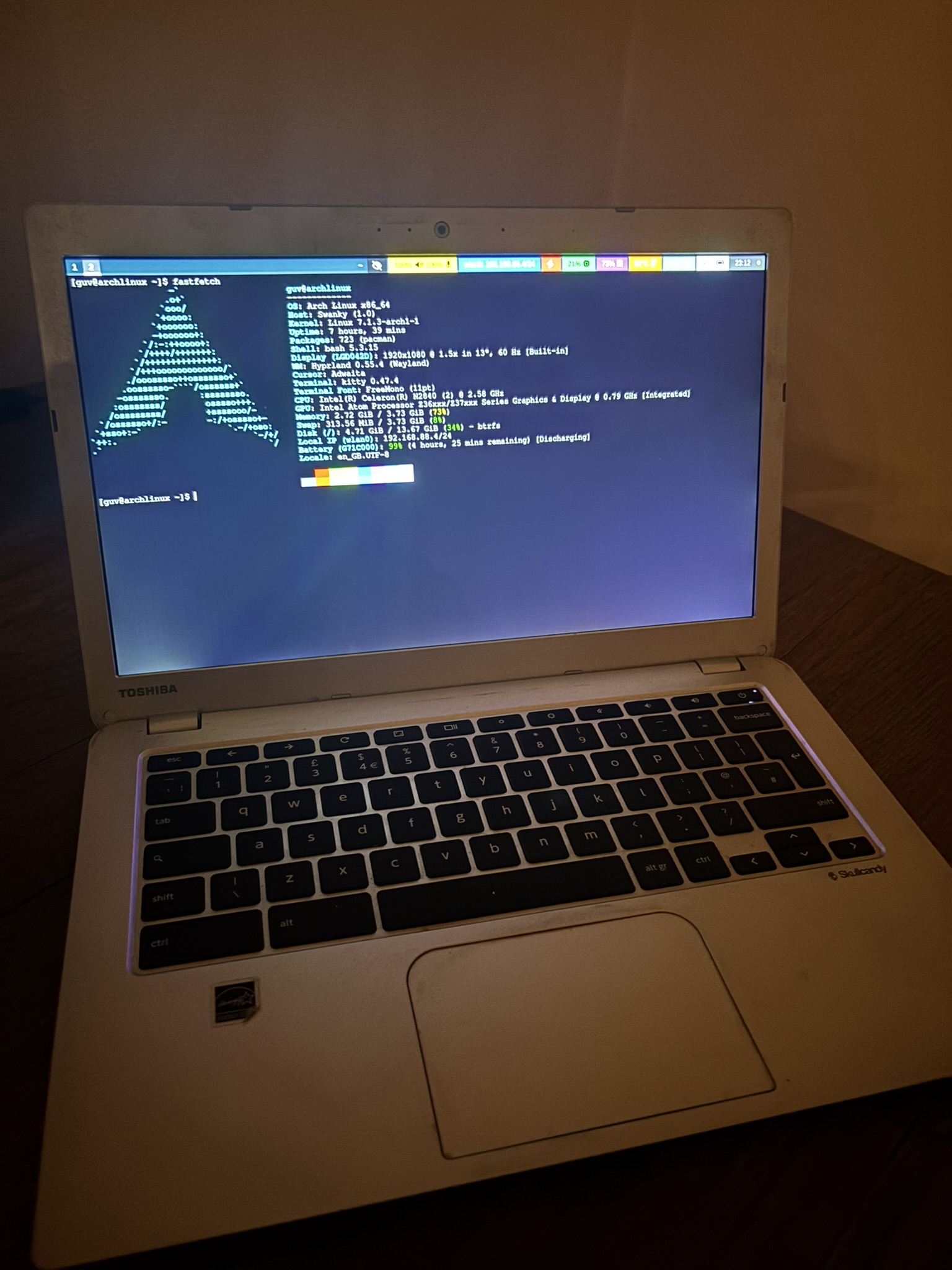
A few weeks ago I decided to resurrect my parents' old Toshiba Chromebook 2 (2014).
Like many Chromebooks of its generation, Google had stopped providing updates years ago. ChromeOS had reached the end of its life and, despite the hardware still being perfectly functional, the laptop had effectively become obsolete.
That always felt like a waste to me.
I've always liked the Toshiba Chromebook 2. It has a fantastic 13.3" 1080p IPS display, a lightweight form factor and a surprisingly premium feel for what was originally a Chromebook. Every time I picked it up I found myself thinking, this is still a really nice laptop.
It deserved a second chance.
Installing Linux
The first hurdle wasn't choosing a Linux distribution.
It was getting Linux onto the Chromebook in the first place.
Like many Chromebooks, it required replacing Google's firmware before it could boot a normal operating system. Thankfully, the excellent MrChromebox firmware script made the process surprisingly straightforward.
Once the firmware had been replaced, it was finally possible to install Linux like any other PC.
The first attempt
My original plan wasn't Arch Linux at all.
I installed Ubuntu Server and connected to it over SSH.
Since I was already experimenting with AI-assisted development, I installed Codex CLI and had it help diagnose the Chromebook's biggest problem: audio.
For hours, Codex and I investigated an annoying audio issue.
The speakers worked initially, but after around thirty seconds the Chromebook would emit a loud, high-pitched buzz that could only be stopped by restarting the audio service or rebooting the machine.
We dug through PipeWire, ALSA, firmware, drivers and configuration files trying to understand what was causing it, but never found a solution.
Rather than continue debugging Ubuntu, I decided to install Arch Linux instead.
Partly because I wanted to try Hyprland.
Partly just because it sounded like a fun experiment.
Ironically, that decision solved the problem immediately.
Arch Linux... just worked
I fully expected Arch Linux to require hours of configuration.
Instead, I was greeted with working audio almost immediately.
Wi-Fi worked.
Bluetooth worked.
Hardware acceleration worked.
The keyboard worked.
Almost everything worked out of the box.
The only real configuration I needed was adjusting the keyboard layout inside my Hyprland configuration so the Chromebook's keyboard behaved the way I wanted.
Sometimes the simplest solution really is to start over.
Building the lightest desktop I could
I decided to pair Arch Linux with Hyprland.
Hyprland has a reputation as a desktop environment for Linux enthusiasts and power users.
People customise every animation, blur effect and transition.
I did almost the opposite.
I disabled almost everything.
- animations
- shadows
- rounded corners
- blur
- workspace transitions
- unnecessary gaps
- splash screen
- mascot
The goal wasn't to build an impressive desktop.
It was to build one that disappeared.
The result feels incredibly responsive, even on twelve-year-old hardware.
Turning a power-user setup into a family computer
One of the things I found most amusing about this project is that Arch Linux and Hyprland are generally considered tools for Linux power users.
Yet I ended up using them to build a browser-only appliance for my parents.
They don't need to know what Arch Linux is.
They don't need to know what Hyprland is.
As far as they're concerned, they press the power button, Firefox opens automatically, and they browse the web.
Ironically, one of the most configurable Linux setups available became one of the simplest computers in the house.
Browser optimisation
Firefox became the only application that really mattered.
Initially YouTube pushed the CPU close to 100%.
The culprit turned out to be VP9 software decoding.
Installing the enhanced-h264ify extension forced YouTube to use H.264 instead, allowing Intel's hardware decoder to do the work.
The difference was dramatic.
1080p playback became perfectly smooth and CPU usage dropped significantly.
Bluetooth
Bluetooth ended up being surprisingly easy.
I connected an Amazon Echo Dot and automated the entire process.
Whenever the laptop starts:
- Bluetooth starts automatically.
- The Echo Dot reconnects automatically.
- Waybar displays connection status.
- Clicking the Bluetooth icon connects or disconnects the speaker.
I even changed the hostname from archlinux to laptop, meaning Alexa now announces:
Connected to laptop.
instead of:
Connected to Arch Linux.
A tiny detail, but one that makes the machine feel much friendlier.
A little bit of development
Although the Chromebook's primary purpose became web browsing, I couldn't resist doing a little development on it.
I installed Vim and spent some time editing configuration files and writing small pieces of code.
No, I wouldn't build a large web application on it.
But for terminal work, writing Markdown, editing configuration files and SSH sessions, it's surprisingly enjoyable.
Gaming, just for fun
Once everything was working, curiosity got the better of me.
I wanted to see what this little Chromebook was actually capable of.
The first thing I installed was PCSX2.
My goal was simple.
Play Gran Turismo 4.
Unfortunately that proved to be too ambitious.
The Chromebook managed somewhere around 15–20 FPS, which was impressive considering the hardware but not really enjoyable to play.
So I stepped back a generation.
I installed DuckStation and started playing original PlayStation games instead.
This turned out to be a much better fit.
Tekken 3 ran beautifully.
Tomb Raider II also performed really well.
Growing up playing the original PlayStation, there was something wonderfully nostalgic about replaying those games on a twelve-year-old Chromebook running Arch Linux.
It somehow felt appropriate.
I also installed Xonotic, expecting it to struggle.
Instead, it completely surprised me.
The game looked fantastic and ran far better than I expected.
The only issue I never fully solved was audio.
Both DuckStation and Xonotic produced audio streams correctly, but I couldn't get sound working reliably in every situation.
Since gaming wasn't the primary goal of the project, I eventually decided it wasn't worth spending any more time chasing that particular bug.
One thing I couldn't quite solve
The only feature I really wanted but never managed to get working properly was remote desktop.
I'd hoped to install RustDesk so I could remotely help my parents whenever they had a problem.
Unfortunately, RustDesk's Wayland support still isn't quite where it needs to be, and I never found a setup I was completely happy with.
Hopefully that's something that improves in future releases.
Before vs After
| Before | After |
|---|---|
| Unsupported ChromeOS | Arch Linux |
| Limited to Google's ecosystem | Full Linux desktop |
| Slow web browsing | Smooth Firefox with hardware video decoding |
| Manual Bluetooth setup | Automatic Bluetooth reconnection |
| Unused in storage | Daily-use family laptop |
| Considered obsolete | Fast, responsive Linux machine |
Final thoughts
This project reminded me that software often reaches the end of its life long before hardware does.
Google had effectively retired this Chromebook years ago.
Yet after replacing the firmware, installing Arch Linux and stripping everything back to the essentials, the Chromebook found a new purpose.
It's become a genuinely useful secondary machine for web browsing, writing, SSH sessions and even a bit of retro gaming. The project also taught me more about Linux than running it inside a virtual machine ever had.
The biggest surprise was not simply how well Arch Linux worked, but how little configuration it needed. Arch and Hyprland are often seen as software for enthusiasts, yet together they made a simple browser appliance for my parents—and solved problems I had spent hours chasing elsewhere.
They'll probably never know—or care—that their laptop is running one of the most configurable Linux distributions available.
They'll simply know that it starts quickly, opens a browser and gets out of the way.
For me, the project became something more than just reviving an old laptop. It was an opportunity to learn more about Linux, become more comfortable with Arch and Hyprland, and prove that hardware doesn't necessarily become obsolete when official software support ends.
Sometimes it just needs a different operating system.